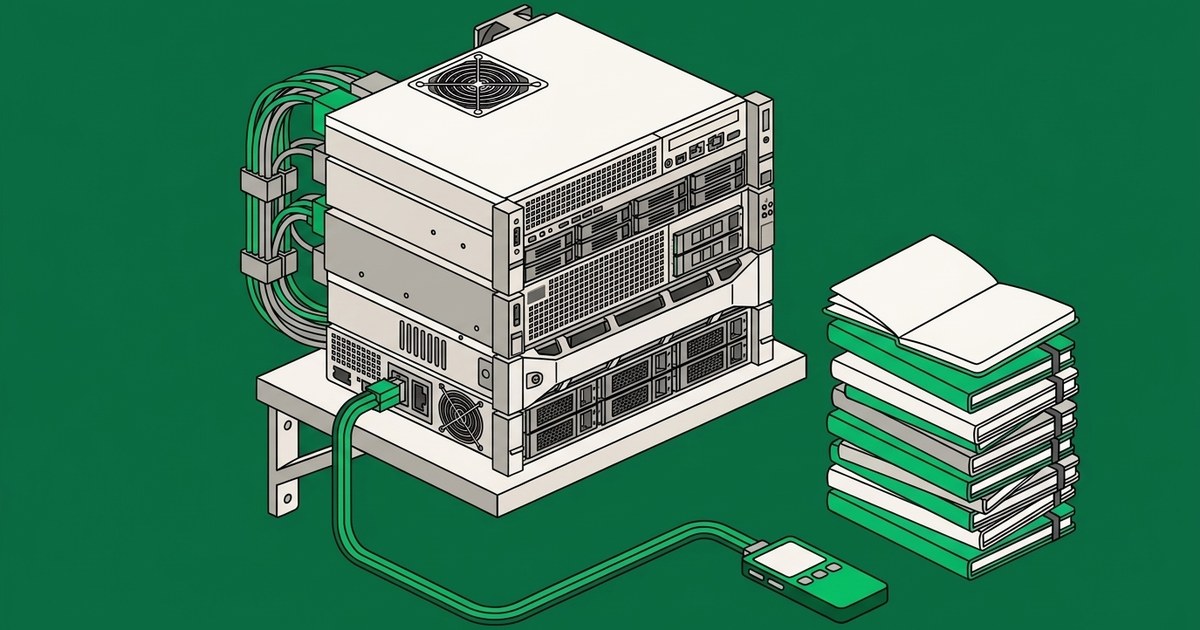



If your inputs look the same every time and the rules are written down, you want a deterministic automation. If the inputs vary, the rules live in someone's head, or the exceptions are the actual work, you want an AI agent. Most real workflows contain both, and the build that fits is an automation with an agent on the exception path.
That is the whole answer. The rest of this page is how to tell which case you are in before you spend money on the wrong one.
Why the comparison is confusing in the first place
Three terms get used as if they were interchangeable, and they are not.
Rule-based automation is software that follows a path you defined. A trigger fires, steps run in order, and the same input always produces the same output. Zapier, Make, Power Automate, and the automation rules inside your CRM all live here.
RPA, robotic process automation, is a specific flavour of that. IBM describes it as rule-based software that combines APIs and user interface interactions to perform repetitive office tasks such as extracting data, filling in forms, and moving files. Its distinguishing move is working through the front end, clicking and typing the way a person would, which is how it reaches legacy systems that have no usable API. IBM draws the line plainly: RPA is process-driven where AI is data-driven, and "RPA bots can follow only the processes defined by an end user."
AI agents are different in kind, not in degree. OpenAI's practical guide to building agents defines them as "systems that independently accomplish tasks on your behalf," and is careful to exclude the things people mistake for agents: applications that use a language model but do not let it control workflow execution, such as simple chatbots or classifiers, are not agents. Anthropic draws the same boundary in Building effective agents, distinguishing workflows, "where LLMs and tools are orchestrated through predefined code paths," from agents, "where LLMs dynamically direct their own processes and tool usage."
Strip the marketing away and the difference is one question. Who decides the order of the steps? In an automation, you did, in advance. In an agent, the model does, at the time, inside limits you set.
The real dividing line is the shape of the work
Vendors frame this as a technology comparison because that is the frame where the newer technology wins. It is the wrong frame. The tool class is determined by the workflow, and you can read it off three properties.
How much do the inputs vary? A hundred invoices in the same template from the same supplier are uniform. A hundred inbound emails from a hundred customers are not. Uniform inputs are what deterministic automation is for.
Are the rules written down, or are they in someone's head? If you can hand a new hire a one page document and they do the job correctly, the rules are explicit and a machine can follow them literally. If the honest instruction is "you will pick it up after a few months," the rules are tacit, and there is nothing to encode.
Are exceptions a nuisance, or are they the job? Every process has exceptions. The question is what share of the volume they represent and how much judgement each one takes. When exceptions are two percent and each is obvious, route them to a person and automate the rest. When exceptions are thirty percent and each needs context, the exceptions are the process.
OpenAI's guide lands on the same three signals from the engineering side, prioritising workflows with complex decision-making, difficult-to-maintain rules, and heavy reliance on unstructured data. Then it adds the sentence most vendor content omits: "Before committing to building an agent, validate that your use case can meet these criteria clearly. Otherwise, a deterministic solution may suffice."
Anthropic is blunter still. Their recommendation is to find the simplest solution possible and only increase complexity when needed, which "might mean not building agentic systems at all."
Two of the largest model providers in the world are telling you not to buy an agent for work that does not need one. That is worth more than any vendor comparison table, including this one.
Decision table
| Rule-based automation | RPA | AI agent | |
|---|---|---|---|
| Decides the sequence | You, in advance | You, in advance | The model, at run time, within your limits |
| Best input | Structured and uniform | Structured, reachable through a screen | Unstructured or variable |
| Rules must be | Written down | Written down | Describable in plain language |
| Typical failure | Stops and errors visibly | Breaks when the screen changes | Proceeds and is sometimes wrong |
| How you catch failure | Alert on the failed run | Alert on the failed run | Review of the output and the reasoning |
| Reaches legacy systems | Only with an API | Yes, through the interface | Through APIs and tools you approve |
| Handles a case nobody anticipated | No | No | Sometimes, and it should escalate |
| Cost per run | Lowest | Low | Higher |
| Maintenance lands on | Whoever wrote the rules | Whoever wrote the rules, on every UI change | Whoever operates the agent |
| Good sign you picked right | It has run unattended for months | It reaches a system with no API | Someone was reading and deciding, and now they review instead |
The routing test
Run this on one workflow, not on your whole company.
1. Write down the trigger and the finish line. If you cannot state where the work starts and what "done" looks like, you do not have one workflow yet. You have several, and the first job is to separate them.
2. Look at the last twenty real cases. Not the ideal case. The last twenty. Count how many took the standard path and how many needed someone to think. If nineteen were standard, you are looking at an automation with an exception queue. If eight needed thinking, you are looking at agent work.
3. Try to write the rules as a checklist. Actually try. If you finish the checklist and it covers the twenty cases, build the automation and stop reading. If the checklist runs to forty branches and still misses cases, you have found what OpenAI calls difficult-to-maintain rules, and that is a signal to use an agent rather than a signal to write branch forty one.
4. Name what has to stay with a person. Anything that commits money, changes access, sends something a customer will treat as a promise, or affects someone's employment stays behind human approval regardless of which tool you pick. If that list is the entire workflow, neither tool helps you yet. We wrote separately about what access an AI agent should have to your business systems and where those approval lines belong.
Where automation wins and nobody wants to say so
An agent is the wrong purchase when the work is already deterministic. It costs more per run, it is slower, and it introduces a failure mode the automation did not have.
That failure mode matters more than the cost. A rule-based automation that breaks usually stops and tells you. An agent that misreads a situation continues, produces a plausible output, and does not raise its hand. Anthropic notes the same tradeoff in the other direction, that autonomy brings higher costs and the potential for compounding errors, which is why they recommend extensive testing and guardrails. If you have a process where a wrong answer is expensive and hard to spot, a deterministic path with an auditable log is not a legacy compromise. It is the better engineering choice.
Two more cases where the automation wins outright. When the volume is high and the margin per run is thin, cost per run decides it. And when you need to prove afterwards exactly why each case was handled the way it was, a fixed path gives you that for free.
Where an agent is the only thing that works
An agent earns its cost when the work cannot be reduced to a path in advance.
The clearest signal is that a person is currently reading something and deciding. Reading a customer email and deciding what it is about. Reading a vendor response and deciding whether it answers the question. Reading a project update and deciding whether it changes the plan. That is unstructured input plus judgement, which is exactly the combination OpenAI names, and no amount of branching covers it.
The second signal is a ruleset that has become unmaintainable. Teams often reach agents not because the work got harder but because the automation got too complicated to change. When updating a rule risks breaking three others, the rules have stopped being an asset.
The third signal is that the process spans systems that do not talk to each other, and the connective work is a person retyping and reconciling. Agents are useful there because they can hold the context across steps rather than passing a fixed payload between them.
The build that fits most real workflows
Most workflows are not one case or the other. They are a large uniform middle with a variable tail, and the build that fits is layered.
Automate the deterministic majority with the cheapest reliable mechanism you have. Put an agent on the exception path, where the cases that would otherwise sit in a queue waiting for a person get read, classified, researched, and either resolved within approved limits or escalated with the context already assembled. Keep the consequential actions behind a person.
This is the pattern most teams arrive at eventually, usually after buying one tool for the whole job and discovering it fits half of it. Starting here saves a cycle.
It also changes the question you should be asking a vendor. Not "do you use AI agents," which every vendor now answers yes to, but "which parts of my workflow are you proposing to make deterministic, which parts need judgement, and what happens on the cases neither of us has thought of yet." A vendor who answers that with the same answer for every workflow is selling you a tool class, not a solution.
What this means for scoping
Once you know the shape, the scope gets concrete. You are no longer buying "AI." You are naming a workflow, the systems it touches, the volume, the exception rate, the owner, and the approval line. Those are the inputs that make an implementation succeed or stall, and we covered them in detail in how to implement an AI agent in your business.
From there the remaining questions are who builds and operates it, which we worked through in build your own AI agents or buy a managed service, and what the work costs, which we broke down in how much AI agent development costs. If you are earlier than that and still deciding which part of the business to start with, AI agent use cases for business maps the common starting points, and where AI fits into existing workflows covers what the technology does and does not do well.
Frequently asked questions
Is RPA the same as AI automation?
No. RPA is rule-based and process-driven, following only the steps a person defined for it, and it typically reaches systems through their user interface. AI automation is a loose marketing term that can mean anything from a model call inside a fixed workflow to a full agent. Ask which one a vendor means before comparing prices.
Is an AI agent just a smarter Zapier?
No, and the difference is structural rather than a matter of intelligence. In a Zapier style automation the sequence is fixed and the tool runs it. In an agent the model selects the next action based on what it found in the previous one. That is the capability you are buying, and it is also the reason an agent needs oversight that a fixed automation does not.
Can an AI agent replace our RPA bots?
Sometimes, but replacing working RPA is rarely the best first move. RPA that runs reliably against a stable screen is cheap and auditable. The stronger case is to leave it alone and put an agent on the cases it drops, the ones that currently land in someone's inbox because the bot could not handle them.
Our process already works. Do we need an agent at all?
If it works, runs unattended, and nobody is spending judgement on it, no. The honest test is how many hours a week a person spends reading, deciding, and re-entering. If the answer is close to zero, you are already done.
How do we tell which one our workflow needs?
Run the four question routing test above on one workflow. If it comes back mixed, which it usually does, the answer is the layered build rather than either tool on its own.
Decide the shape before you buy the tool
The mistake that costs the most is not picking the wrong technology. It is picking a technology before anyone has described the work precisely enough to tell which one applies. Uniform inputs and written rules point one way. Variable inputs and tacit judgement point the other. Most workflows point both ways at once, and that is a design instruction, not a problem.
If you want a second pair of eyes on a specific workflow, that is what our discovery session is for. It starts with 30 minutes on your workflows, and we will tell you when the honest answer is that you do not need an agent.